

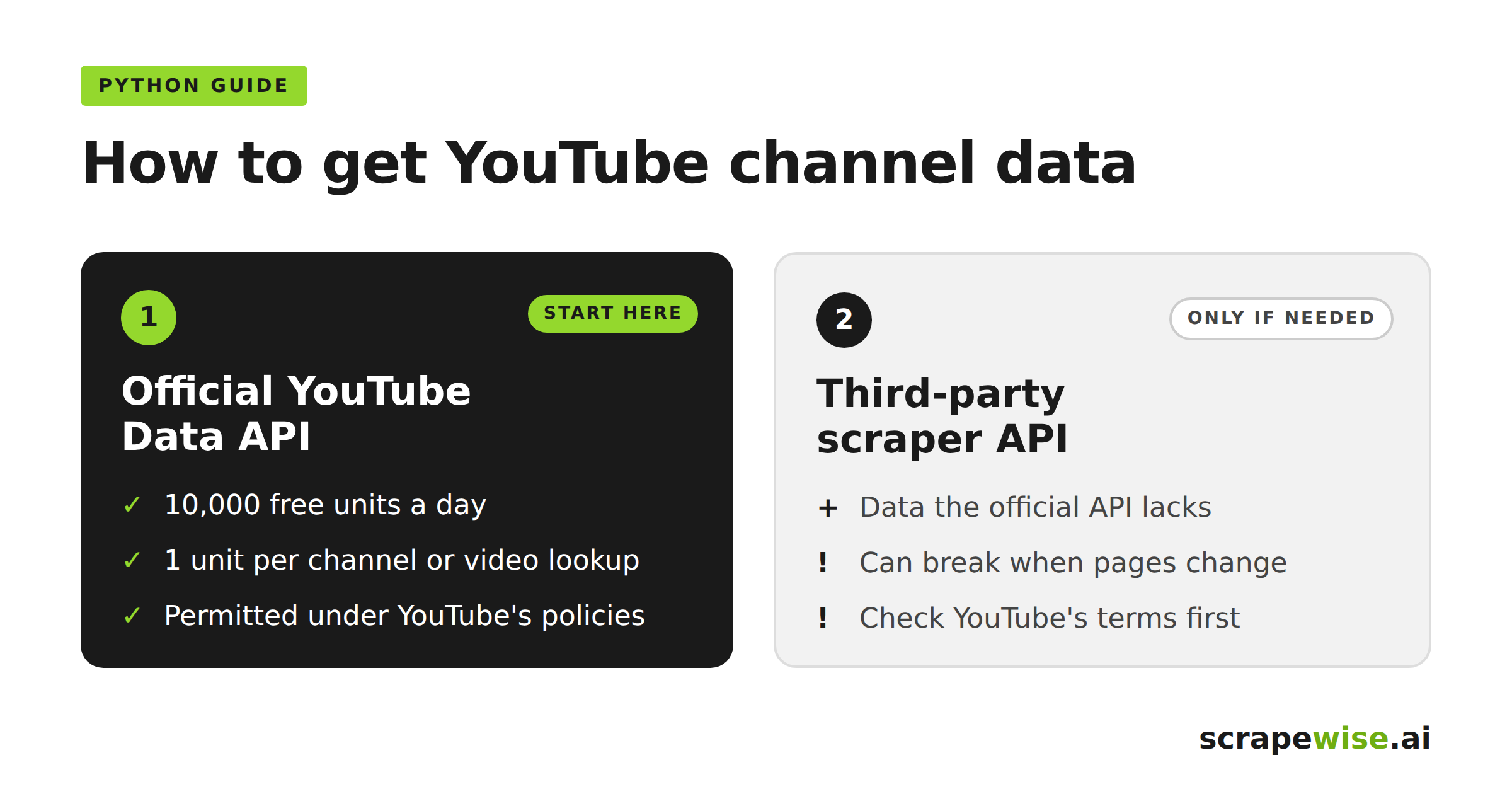
You want channel and video data from YouTube in a Python script. There are two ways to get it: the official YouTube Data API, or a third-party YouTube scraper API that reads public pages for you.
This guide shows both in Python. It covers quota costs, the job-based workflow scraper APIs use, common errors, and the rules you need to check first.
Quick answer: Start with the official YouTube Data API. Read-only channel and video lookups cost 1 quota unit each, so 10,000 free daily units go a long way. Consider a scraper API only when you need data the official API doesn't provide, and check YouTube's terms before you do.
What Is a YouTube Scraper API?
A YouTube scraper API is a hosted service that collects data from YouTube pages and returns it as structured JSON. You send an input, such as a channel URL. The provider loads the pages, parses them, handles retries and returns the results.
Typical fields for a channel job include:
- Channel name, URL and ID
- Subscriber count, where shown
- Video titles, IDs and URLs
- Publication dates
- View, like and comment counts
- Descriptions and thumbnail URLs
Fields vary by provider, so read the response schema before writing your parser.
The workflow looks like this:
Python script → scraper API → scraping job → dataset → Python script
YouTube Data API vs YouTube Scraper API
The YouTube Data API is Google's official interface for channels, videos, playlists and search. It needs a Google Cloud project and an API key. Requests for private data or write actions also need OAuth 2.0.
A scraper API is run by a third party. It extracts what public YouTube pages display and exposes it through the provider's own API.
| YouTube Data API | YouTube scraper API | |
|---|---|---|
| Provider | Third party | |
| Access method | Official API | Page extraction |
| Authentication | API key and/or OAuth | Provider token |
| Limits | Daily quota (10,000 units by default) | Provider pricing and limits |
| Data available | Documented API resources | Depends on the scraper |
| Breaks when YouTube's pages change | No | Can, until the provider updates it |
| Covered by YouTube's permission | Yes, under API policies | Generally no (see legal section) |
YouTube Data API quota: the numbers that matter
Every project gets 10,000 quota units per day by default, and each method has a fixed cost:
channels.list,playlistItems.listandvideos.listcost 1 unit per call.search.listcosts 100 units per call.videos.listaccepts up to 50 video IDs per request.
In practice, reading a channel's uploads playlist and then batching video IDs is very cheap. Search is what drains quota. Many teams who think they need a scraper only need to stop calling search.list.
Raising the default quota requires an audit by Google, which can take time.
Method 1: Get YouTube Channel Data With the Official API
Install Google's Python client:
pip install google-api-python-client
This script reads a channel by its handle, pages through its uploads playlist, and fetches stats for each video in batches of 50:
import os
from googleapiclient.discovery import build

youtube = build("youtube", "v3", developerKey=os.environ["YOUTUBE_API_KEY"])

# 1 unit: channel details, looked up by handle
channel = youtube.channels().list(
    part="snippet,statistics,contentDetails",
    forHandle="@example",
).execute()["items"][0]

uploads_id = channel["contentDetails"]["relatedPlaylists"]["uploads"]

# 1 unit per page: collect video IDs from the uploads playlist
video_ids, page_token = [], None
while len(video_ids) < 200:
    page = youtube.playlistItems().list(
        part="contentDetails",
        playlistId=uploads_id,
        maxResults=50,
        pageToken=page_token,
    ).execute()
    video_ids += [i["contentDetails"]["videoId"] for i in page["items"]]
    page_token = page.get("nextPageToken")
    if not page_token:
        break

# 1 unit per batch of up to 50 videos
videos = []
for start in range(0, len(video_ids), 50):
    batch = youtube.videos().list(
        part="snippet,statistics",
        id=",".join(video_ids[start:start + 50]),
    ).execute()
    videos += batch["items"]

print(channel["snippet"]["title"], len(videos), "videos")
Collecting 200 videos this way costs about 9 units.
Two details to know:
- Subscriber counts are rounded. The API rounds them down to three significant figures for channels above 1,000 subscribers, so 123,456 becomes 123,000.
- Storage is time-limited. YouTube's developer policies let you keep data not authorized by a user for up to 30 days. After that, you must delete or refresh it.
Method 2: Scrape YouTube Channel Data With a Scraper API
Scraper APIs usually work as jobs. You start a job, wait for it to finish, then download the results. Endpoint names and input fields differ by provider, so treat the code below as a template.
Step 1: Store your token safely
Keep the token out of your source code:
import os
TOKEN = os.environ["SCRAPER_API_TOKEN"]
Step 2: Start, poll and fetch
import os
import time
import requests

BASE_URL = "https://api.your-provider.example/v1"  # replace with your provider's URL
HEADERS = {"Authorization": f"Bearer {os.environ['SCRAPER_API_TOKEN']}"}

def start_job(channel_url, max_videos=20):
    r = requests.post(
        f"{BASE_URL}/jobs",
        headers=HEADERS,
        json={"channelUrls": [channel_url], "maxVideos": max_videos},
        timeout=30,
    )
    r.raise_for_status()
    return r.json()["jobId"]

def wait_for_job(job_id, poll_every=10, max_wait=1800):
    waited = 0
    while waited < max_wait:
        status = requests.get(f"{BASE_URL}/jobs/{job_id}", headers=HEADERS, timeout=30).json()["status"]
        if status == "succeeded":
            return
        if status == "failed":
            raise RuntimeError(f"Job {job_id} failed")
        time.sleep(poll_every)
        waited += poll_every
    raise TimeoutError(f"Job {job_id} did not finish in {max_wait}s")

def fetch_results(job_id):
    r = requests.get(f"{BASE_URL}/jobs/{job_id}/results", headers=HEADERS, timeout=60)
    r.raise_for_status()
    return r.json()

job_id = start_job("https://www.youtube.com/@example")
wait_for_job(job_id)
videos = fetch_results(job_id)
This asynchronous pattern suits large jobs. Your script doesn't hold one HTTP connection open for minutes.
Example: Apify's Python client
Apify is one provider with YouTube scrapers. Its official client wraps the same start-and-fetch flow:
import os
from apify_client import ApifyClient

client = ApifyClient(os.environ["APIFY_API_TOKEN"])
run_input = {}  # add the input fields your chosen Actor expects
run = client.actor("ACTOR_ID").call(run_input=run_input)

for item in client.dataset(run["defaultDatasetId"]).iterate_items():
    print(item)
.call() waits for the run to finish. Its datasets export as JSON, JSONL, CSV, XLSX, XML, HTML or RSS.
Analyse the Results With Pandas
Once you have a list of video records, load them into a DataFrame:
import pandas as pd

df = pd.json_normalize(videos)  # flattens nested fields such as statistics.viewCount
print(df.head())
df.to_csv("youtube_videos.csv", index=False)
From there you can calculate upload frequency, average views or engagement per video.
If you use the official API, note YouTube's policy on derived metrics. Custom scores built from API data have extra rules.
Common YouTube Scraper API Errors
401 or 403 responses. Check that the token or API key exists in your environment and is correct. For the official API, a 403 quotaExceeded means you've used the day's quota.
Wrong input field. One scraper expects channelUrls, another channels or handles. A URL and a handle aren't interchangeable unless the documentation says so.
Empty results. Common causes are a typo in the handle, a private or removed channel, or a change in YouTube's page layout that the scraper hasn't caught up with. Test with one channel and a small limit first.
Timeouts on synchronous calls. Apify's synchronous run-and-get-items endpoint returns a 408 if the run exceeds 300 seconds. Use the asynchronous pattern for longer jobs.
Rate limits. Batch your channels, limit concurrency and retry temporary failures with backoff.
Page changes are the main maintenance cost of any scraper. Managed services such as ScrapeWise.ai take on that maintenance for e-commerce sources. We explain the problem in our guides to scraping JavaScript-heavy websites and self-healing scraper infrastructure.
YouTube Data Use Cases for Brands and Retailers
Competitor channel tracking. Compare upload frequency, topics and views across competing brands. A Nordic outdoor-gear retailer, for example, can see which product videos from rival brands draw the most views each month.
Content analysis. Find which titles, formats and video lengths perform best in your category.
Market research. Track creator activity around a product launch, or collect the questions viewers ask about a product type.
For most of these, the official API's channel and video data is enough.
Is It Legal to Scrape YouTube?
Check this before you build anything at scale.
YouTube's Terms of Service prohibit accessing the service by automated means, such as scrapers. The exceptions are public search engines following YouTube's robots.txt, prior written permission from YouTube, or where applicable law permits it. The terms also restrict collecting information that could identify a person, such as usernames or faces.
A third-party scraper doesn't change this. The provider's terms add obligations; they don't remove YouTube's.
In Europe, two more points apply:
- GDPR. Comment authors, creator names and faces in thumbnails are personal data. Collect only what you need and set retention limits.
- DSA research access. Article 40(12) of the Digital Services Act gives qualifying researchers access to publicly accessible platform data. YouTube runs a Researcher Program with expanded quota for eligible researchers.
For commercial projects, get legal advice on your specific use case.
FAQ
Is there a YouTube scraper API?
Yes. Several third-party providers offer APIs that collect YouTube channel, video, comment or search data. Google also offers the official YouTube Data API, which is usually the better starting point.
Can I scrape YouTube with Python?
Yes. Python can call a scraper API with requests or a provider's client library. However, YouTube's terms restrict automated access, so check whether the official API covers your needs first.
What's the difference between the YouTube Data API and a scraper API?
The YouTube Data API is Google's official, documented interface with a daily quota. A scraper API is a third-party service that extracts data from public YouTube pages and can break when those pages change.
How much YouTube data can I get for free?
The YouTube Data API gives each project 10,000 quota units per day. Channel, playlist and video lookups cost 1 unit each, while a search costs 100 units.
Can I export YouTube data to CSV?
Yes. Load the records into a Pandas DataFrame and call to_csv(). Many scraper providers also offer CSV export directly.
Conclusion
For most YouTube channel data in Python, the official API is the right first choice. Use the uploads playlist and batch video IDs, and 10,000 daily units cover a lot of channels.
Consider a scraper API only when you need data the API doesn't provide, and when you've confirmed you're allowed to collect it. Test with one channel, validate the fields, then scale.
YouTube is one source among many. If your team needs structured data from websites where extraction is permitted, such as competitor product pages, platforms like ScrapeWise.ai can turn those websites into APIs. For the wider trade-offs, read our guide to web scraping vs API for retail data.
This article is for general information and isn't legal advice.
Paste your first URL and get structured data
No code, no credit card. Connect to any website in minutes.
Not ready to sign up? See 12 rows of real Amazon data →
97% accuracy on Amazon benchmarks · no credit card · book a 15-min call →