
Octoparse Alternatives: 6 Tools Compared
Short version: Octoparse has a genuinely strong visual builder and a template library that covers the obvious e-commerce targets. What it does not remove is maintenance. No-code means nobody writes the selector — it does not mean nobody re-records the workflow the week a site redesigns, and that task lands on a person at your company, not at a vendor. Add the desktop-first architecture and the split between a subscription and a separate cloud credit pool, and the real cost is rarely the sticker price. Below: what each realistic Octoparse alternative bills you for, how much maintenance is left afterwards, and when staying put is correct.
Six Octoparse Alternatives, Side by Side
| Tool | Pricing model | Who maintains it | Best for |
|---|---|---|---|
| ScrapeWise | €0.15 per 1,000 pages delivered | The platform — rows keep arriving | Teams who want the data, not the workflow |
| Octoparse | Seat plus cloud credit packs | You — re-record when the site changes | Solo users on Windows with stable targets |
| ParseHub | Project plus page tier | You, on a desktop app | Occasional projects, technical hobbyists |
| Browse AI | Credits per robot run | You — robots break on redesign | Recording a simple click path fast |
| Web Scraper | Free extension, cloud credits per page | You — the sitemap is yours | Developers comfortable with sitemaps |
| Hexomatic | Credits plus premium automation steps | You — the workflow is yours | Teams chaining scraping into automations |
| Apify | Compute units plus actor rental | The actor author, when one exists | Developers who want a component marketplace |
Which One Is Actually Right for You
Stay on Octoparse if
Your targets are stable, a template already exists for each of them, and one person owns the workflows without complaint. The visual builder is good and the template library is real. If your scrapes have run for six months without a rebuild, the switching cost is higher than the saving.
Choose ParseHub or Web Scraper if
You want the same do-it-yourself model at a lower price and you are comfortable with the trade. ParseHub is a desktop app, which means the scrape runs when the machine is on. Web Scraper is a free browser extension where the cloud scheduler is where the bill starts. Both move the cost, not the maintenance.
Choose Browse AI or Hexomatic if
The job is less 'monitor a catalogue' and more 'automate a sequence'. Browse AI is fastest for recording a click path on a single page. Hexomatic chains scraping into a wider workflow. Both bill in credits, and both hand you the robot to fix when the site redesigns.
Choose Apify if
You have developers and a well-maintained actor already exists for your target. Then you are renting working code rather than recording a workflow. If the marketplace lacks your site, you are building in someone else's SDK and paying in compute units.
Choose ScrapeWise if
The maintenance is the problem. You pick the fields once, set a schedule, and rows arrive by REST API or CSV at €0.15 per 1,000 delivered pages. Cloud runs are not a separate credit pool, there is no desktop app to keep current on anyone's machine, and 35 ready-made endpoints cover common sources without any building at all.
Do not choose ScrapeWise if
What you want is a workflow automation tool — form fills, multi-step sequences, actions taken on a site rather than data read from it. ScrapeWise extracts and delivers structured rows. It does not click through a checkout or post a form on your behalf. Hexomatic or Browse AI fit that shape better.
Octoparse vs ScrapeWise
Why Teams Leave Octoparse
Desktop App Slows Everything Down
Octoparse started as a Windows app and the desktop-first architecture still shapes the experience: every team member who wants to build or run scrapers needs the application installed and updated on their machine. For teams operating across Windows and Mac, or anyone wanting to access scrapers from a different device, the local install is friction. ScrapeWise runs entirely in the browser — one URL, any device, current version always, no IT install approval cycle.
Hidden Billing on Cloud Runs
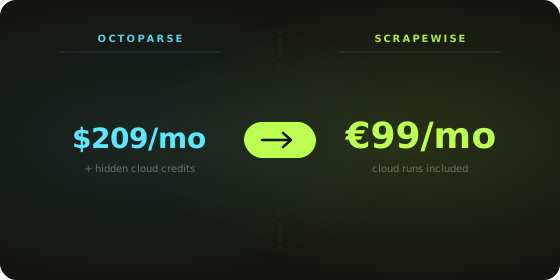
The free Octoparse plan runs scrapers locally only — meaning your laptop has to be on and the app open while scraping. The moment you schedule cloud runs (the actual production workflow), you're consuming a separate credit pool that's priced and tracked outside the subscription. Users on G2 and Capterra consistently note the dual local-vs-cloud billing as confusing, and total cost typically lands higher than the subscription suggests. ScrapeWise includes cloud scheduling for everyone — no separate credit pool, no surprise charges. You pay per page delivered: €0.15 per 1,000 plain pages.
No Analytics After Extraction
Octoparse exports clean data — it doesn't help you analyze it. Once the scrape finishes, you're moving to Excel, Google Sheets, or a BI tool for any filtering, pivoting, or comparison. For pricing managers who want to spot a competitor undercut without opening a separate tool, that's a workflow break. ScrapeWise embeds AG Grid Enterprise — the same component used by enterprise BI tools — so filtering, sorting, grouping, and pivoting happen in the same window where the scrape ran.
Scraping Infrastructure That Lives in the Cloud
Octoparse has earned its market position — the visual builder is genuinely strong, the template library covers many common e-commerce targets, and the brand has been in the no-code scraping category long enough to build trust. The architecture decisions, though, reflect 2016 priorities: local-first execution, desktop-first interface, credit-based cloud billing layered on later. Teams who adopted Octoparse early and have stable workflows have less reason to switch. Teams evaluating today usually want what cloud-native infrastructure makes possible: any-device access, scheduling without credit math, team collaboration without an Enterprise upgrade, and analytics in the same place as the data.
- ✕ Install and maintain a desktop application per machine
- ✕ Free tier restricted to local runs only
- ✕ Cloud scheduling burns separate credit packs
- ✕ No built-in analytics — export and pivot elsewhere
- ✕ Enterprise plan required for team collaboration
- ✓ Runs entirely in the browser — nothing to install
- ✓ Cloud scheduling included for everyone, from your first free request
- ✓ Pay-as-you-go pricing, no credit pools to manage
- ✓ AG Grid Enterprise analytics built in
- ✓ Team workspaces included for everyone
What 1.5 Million Pages a Month Costs
| 1.5M pages / month | Octoparse | ScrapeWise |
|---|---|---|
| What you are billed for | Subscription seat plus cloud credit packs | Pages actually delivered |
| Published floor | Free tier is local-only; Standard $75/mo | No plan. €0.15 per 1,000 plain pages |
| 1.5M plain pages | Subscription plus enough credit packs to cover it | €225 |
| Pages needing JavaScript | Consumes cloud credits faster | €0.75 per 1,000 — published |
| A run that fails halfway | Credits are spent either way | Undelivered pages cost nothing |
| A target site redesigns | Someone re-records the workflow | No re-record — the extraction adapts |
| Adding a second person to the account | Team collaboration sits on Enterprise | Included — no upgrade |
| Unused capacity at month end | Subscription is spent | Balance carries — it never expires |
Pricing Comparison
Octoparse
- - Free: 10,000 records/mo — local runs only
- - Standard: $75/mo, includes some cloud runs
- - Professional: $209/mo, more cloud capacity
- - Cloud run scheduling: separate credit packs
- - Team / Enterprise: custom pricing, includes collaboration
- - API access: higher tiers only
- - Local-vs-cloud distinction creates billing complexity
Scrapewise
- ✓ Pay-as-you-go: no monthly plan, no quota
- ✓ Plain pages: €0.15 per 1,000 (€0.00015 per page)
- ✓ Render: €0.75 per 1,000 · Super (residential proxy): €1.50 per 1,000
- ✓ You only pay for pages that are delivered
- ✓ Cloud runs included — no separate credit system
- ✓ API access included for everyone
- ✓ 5 free requests on every new account
Moving Off Octoparse
Export the task list and the URLs
Every Octoparse task points at a set of URLs and returns a set of fields. Those two lists are the whole asset. The recorded click path is not — it is a re-implementation of the site's layout as it was on the day you recorded it.
Count the real page volume
URLs × run frequency = pages per month. That number, not your credit pack, is what you will pay on. Most teams find they have been running less often than they wanted because credits were the constraint.
Check the 35 ready-made endpoints first
Before rebuilding anything, see whether the source you are scraping is already covered. If it is, there is no builder step at all — you call the endpoint and rows come back.
Rebuild the most fragile task
Pick the workflow you have re-recorded most often. Point the visual builder at one of its pages and select the fields from step one. Run it against the 5 free requests. That task is the reason you are switching, so it is the one to prove.
Reconcile against yesterday's Octoparse export
Run both for a week and diff the output. Where they disagree, one of them is reading a variant, a promo price, or a cached page. Resolve those before cutting over rather than after.
Uninstall the desktop app and cancel the credits
Point your reports at the REST API or the scheduled CSV, then remove the app from every machine that had it. The maintenance you are really retiring is the person who owned the re-recording.
No Desktop App. No Credit Pools. Just Data.
ScrapeWise replaces Octoparse's desktop-first workflow with a browser-native platform. Build scrapers, run them in the cloud, analyze the results — all in one place with pay-as-you-go pricing.
Frequently Asked Questions
Common questions when comparing Octoparse and ScrapeWise.
It depends on which part of Octoparse is failing you. If the price is the problem, ParseHub and Web Scraper are cheaper versions of the same do-it-yourself model. If you want scraping folded into a wider automation, Hexomatic or Browse AI. If you have developers and a marketplace actor exists, Apify. If the maintenance is the problem — someone re-recording workflows every time a site changes — ScrapeWise, which delivers rows at €0.15 per 1,000 pages with 35 ready-made endpoints for common sources.
Skip the setup: get the finished table
- Scrape
- Clean
- Match
- Ready comparison
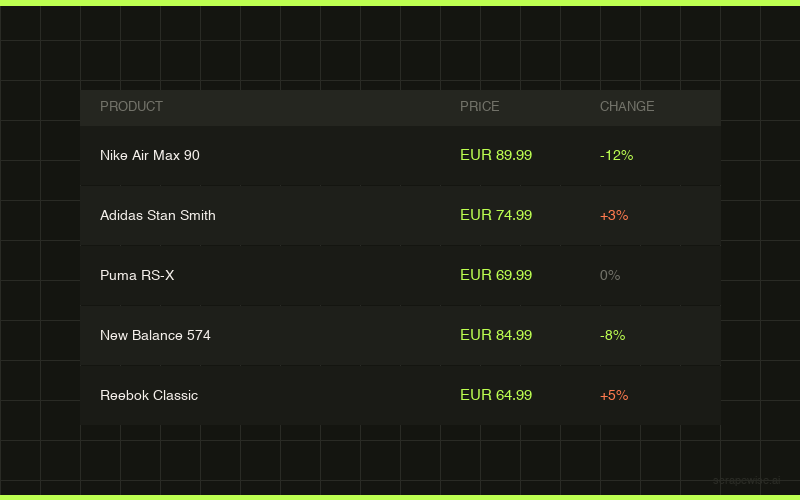
Give Scrapewise the shops or the list of product links. It scrapes the pages, cleans the prices, matches the same product across shops and gives you a ready comparison by CSV, Excel or API. For lead lists, the Google Maps data API returns businesses with address, phone and website.
Don't take the table's word for it
Every ScrapeWise data API page ships a real sample table you can read on the page and download as CSV — no account, no card, no email.
Switching from Octoparse and want it walked through? Book a 15-min call →