

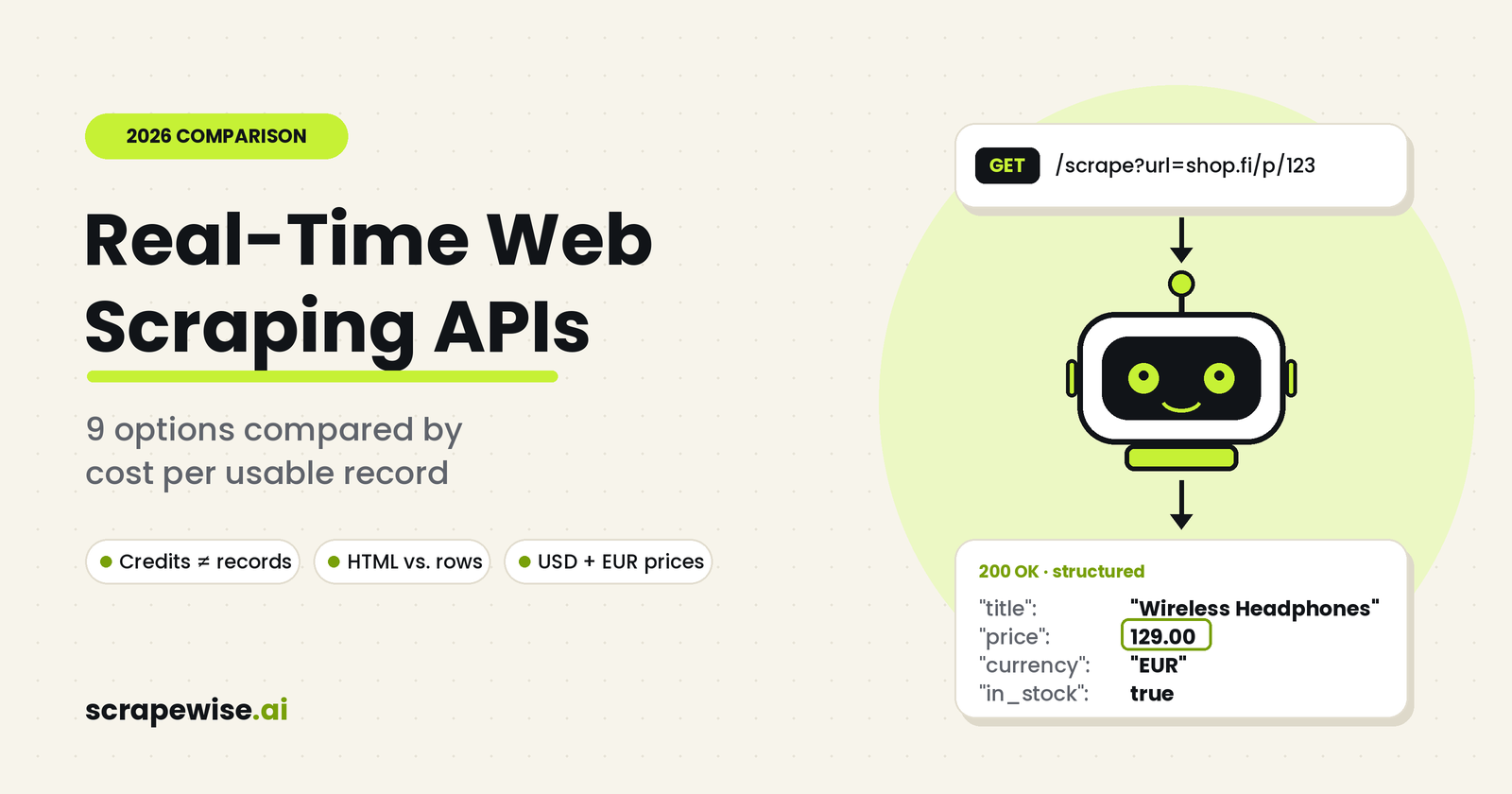
A real-time web scraping API turns a hard engineering job into a single HTTP request. You skip the browser automation, proxy pool, and CAPTCHA handling, and you get the current version of a page when you ask for it.
The catch is that providers meter and package this very differently. Once rendering, retries, and parsing are counted, the headline plan price says little about what each usable record costs.
This guide compares nine options on the number that matters in production: cost per successful, usable record. Prices were checked in September 2026. Vendors change them often, so confirm on each pricing page before you buy.
Quick Answer
- Hard targets at scale: Bright Data and Oxylabs
- Simplest developer API: ScraperAPI and ScrapingBee
- Custom multi-step workflows: Apify
- Automatic unblocking and extraction: Zyte
- Protected, JavaScript-heavy sites on a small budget: ZenRows
- No-code scheduled scraping: Octoparse
- Retail and pricing teams who want structured rows instead of HTML: ScrapeWise
If the end goal is competitor prices rather than raw HTML, scraping is only step one: the rows still have to be cleaned and matched to your own products. Scrapewise does scrape, clean and match in one place; see product matching and competitor price tracking.
Real-Time Web Scraping APIs at a Glance
| Provider | Best for | Entry paid price | Billing unit |
|---|---|---|---|
| ScraperAPI | Quick API integration | $49/mo (100K credits) | API credits |
| ScrapingBee | Developer-friendly API | $19/mo (75K credits) | API credits |
| Bright Data | Large-scale, protected sites | $1.50 per 1K records, pay as you go | Successful records |
| Oxylabs | Enterprise structured extraction | $49/mo | Successful results |
| Octoparse | No-code scheduling | $69/mo, billed annually | Tasks and cloud capacity |
| Apify | Custom workflows | $19/mo of prepaid usage | Compute units plus usage |
| Zyte | Automated unblocking at scale | Usage-based | Successful requests |
| ZenRows | Protected and JS-heavy sites | Under $20/mo | Credits |
| ScrapeWise | Retail pricing and product data | Pay as you go, from €0.15 per 1K pages | Pages delivered |
A credit is not a record. Turning on JavaScript rendering alone costs 5 credits per request on ScrapingBee and ZenRows, and ScraperAPI also charges several credits for rendered pages. Compare plans on output, not on the headline credit count.
What Is a Real-Time Web Scraping API?
A real-time web scraping API fetches a web page at the moment your application asks for it, then returns raw HTML or structured data.
Without one, you run the whole stack yourself: HTTP client, proxy pool, IP rotation, headless browser, anti-bot handling, and parser. With one, you send a request like this:
GET https://api.example.com/scrape?url=https://example.com/product/123
and receive something like this:
{
  "title": "Example Product",
  "price": 49.99,
  "availability": "In stock"
}
"Real-time" here means request-time retrieval, not streaming. For monitoring, you schedule requests (every hour, for example) and get near-real-time data.
Real-Time vs. Near-Real-Time Scraping
Use request-time scraping when a user is waiting for a fresh answer, such as a live flight or hotel price.
Use scheduled collection when a refresh interval is acceptable, such as checking 5,000 competitor SKUs every morning. It is usually much cheaper, because one fresh scrape can serve many users from a cache.
Scraping API vs. Data API vs. Scraping Platform
- Web scraping API: you send a URL and get content back. Good for developers building their own applications.
- Web data API: the provider covers one vertical, such as Amazon products or Google results. Fields are cleaner, but you control less.
- Web scraping platform: you build, schedule, store, and monitor many scrapers in one place. Apify is the typical example.
How to Evaluate a Real-Time Web Scraping API
Check these six things before you commit:
- Success rate on your own targets. A cheap API is worthless if hard URLs fail.
- JavaScript rendering. Most modern storefronts load prices with JavaScript.
- Anti-bot handling. Look for proxy rotation, browser fingerprinting, CAPTCHA handling, and retries.
- Geo-targeting. In Europe this matters more than it seems. The same product can show a different price, currency, and VAT on a Swedish storefront than on a German one.
- Output format. Raw HTML means you still build and maintain a parser.
- Cost per successful usable record. Calculate it like this:
Monthly spend ÷ successfully extracted usable records = effective cost per record
The 9 Best Real-Time Web Scraping APIs in 2026
ScraperAPI: Best for Quick API Integration
ScraperAPI puts proxies, retries, rendering, and geo-routing behind one endpoint. It suits teams that already have parsing code and just need reliable page access.
Pricing: Hobby $49/mo (100K credits), Startup $149/mo (1M), Business $299/mo (3M), Scaling $475/mo (5M). A 7-day trial with 5,000 credits is available. See the ScraperAPI pricing page.
Watch out for: ScraperAPI mostly returns HTML, so you need your own parser. Rendered pages and harder domains cost multiple credits per request, and the two lowest plans limit geo-targeting to the US and EU.
Best for: developer teams who want a conventional scraping API and already own their parsing logic.
ScrapingBee: Best Low-Cost Entry for Developers
ScrapingBee handles headless browsers and proxy rotation behind a simple API.
Pricing: Hobby $19/mo (75K credits), Freelance $49/mo (250K), Startup $99/mo (1M). Larger plans add credits and concurrency. See the ScrapingBee pricing page.
Watch out for: JavaScript rendering is on by default and costs 5 credits per request. Unless you switch it off, 75,000 credits cover about 15,000 pages.
Best for: small and mid-sized applications where the job is "send a URL, get usable content back."
Bright Data: Best for Large-Scale, Protected Websites
Bright Data's Web Scraper API combines proxy management, browser rendering, CAPTCHA solving, parsing, scheduled collection, and delivery by API or webhook. It also offers a large library of pre-built scrapers for marketplaces and retailers that return structured fields such as title, price, availability, and seller. Its proxy network covers 195 countries.
Pricing: 5,000 free records per month, $1.50 per 1,000 records pay as you go, or a $499/mo Scale plan that includes 384,000 records. See the Bright Data Web Scraper API pricing page.
Watch out for: the product range is wide. Choosing between the Scraper API, Web Unlocker, and datasets takes some upfront work.
Best for: organizations that need structured data from difficult sites without owning the scraping stack.
Oxylabs: Best for Enterprise Structured Extraction
Oxylabs offers target-specific endpoints, JavaScript rendering, geo-targeting, and structured results, with 24/7 support and a dedicated account manager on paid plans.
Pricing: a free trial of up to 2,000 results, then Micro at $49/mo and Starter at $99/mo. On Micro, successful results cost $0.50 per 1,000 for Amazon, $1.00 for Google, $1.15 for other sites, and $1.35 with JavaScript rendering. Rates drop on higher tiers. See the Oxylabs Web Scraper API pricing page.
Best for: high-volume structured extraction for e-commerce, SERP, travel, and real estate data.
Octoparse: Best for No-Code Scheduled Scraping
Octoparse uses a visual, point-and-click builder instead of an API-first workflow. Cloud tasks run while your computer is off, on a schedule, with IP rotation.
Pricing: Free, Standard from $69/mo billed annually ($83 monthly), Professional $249/mo billed annually ($299 monthly), and custom Enterprise. See the Octoparse pricing page.
Watch out for: residential proxies and CAPTCHA solving are billed as add-ons. Octoparse is not designed for high-throughput, API-driven applications.
Best for: analysts, researchers, and operations teams who don't write code.
Apify: Best for Custom Scraping Workflows
Apify is an automation platform built around Actors, reusable cloud programs that each perform one task. You can chain them: discover URLs, scrape, validate, store, then trigger a webhook.
Pricing: Free ($5 of monthly usage), Starter $19/mo, Scale $199/mo, Business $999/mo. Each plan fee is prepaid usage. Compute units cost $0.20 on Free and Starter, $0.16 on Scale, and $0.13 on Business. Proxies, storage, and pay-per-event Store Actors add to the bill. For a worked breakdown, read our guide on how Apify compute units turn into real costs.
Best for: developers who want an extensible platform rather than a single endpoint.
Zyte: Best for Automated Unblocking and Extraction
Zyte API combines ban handling, IP rotation, browser rendering, sessions, geolocation, and both AI-based and custom extraction. It can decide on its own whether a request needs a browser, so you don't have to choose between HTTP, proxy type, and rendering for every target.
Pricing: usage-based, with the cost per request depending on how hard the target site is.
Best for: large crawling operations where reliability matters more than the lowest per-request price.
ZenRows: Best for Protected Sites on a Budget
ZenRows runs its scraping API, scraping browser, and residential proxies off one shared credit balance. You pay only for successful requests.
Pricing: a free tier with 5,000 credits per month, and paid plans from under $20/mo. A standard page costs 1 credit, JavaScript rendering 5, premium proxies 10, and both together 25. See the ZenRows pricing page.
Watch out for: the 25-credit rate. On an entry plan of 45,000 credits, that is 1,800 protected, rendered pages.
Best for: developers who need one API for everything from simple fetches to protected, JavaScript-heavy pages.
ScrapeWise: Best for Retail and Pricing Teams Who Need Rows, Not HTML
Most APIs above hand you a page. Your team still writes the parser, matches products across competitors, and fixes fields when a site changes its layout.
For many European retailers, the slow part isn't fetching the page. It's the weekly loop of exporting competitor prices to Excel, emailing files between category managers, and merging everyone's edits.
ScrapeWise, built in Tallinn for Nordic and DACH retail, charges per page delivered, however many fields you extract from it. Product matching by identifier and spreadsheet-style analytics are built in. Engineering teams can pull the same data through a web scraping API with REST endpoints and stable schemas, including 35 ready-made endpoints for search, marketplace and maps data listed on the Scrapewise web scraping API endpoint page.
Pricing (EUR): pay as you go, with no monthly plan and no quota. You top up a balance in euros and pay only for the pages you actually get: €0.15 per 1,000 plain pages, €0.75 with browser rendering, €1.50 through residential proxies, and €3.75 for both on the hardest sites. Every account gets 5 free requests to start, and top-ups run from €5 to €1,000. A fully managed option with scraper maintenance and SKU matching starts at €1,500/mo plus setup. See ScrapeWise pricing.
Because billing is per page delivered, a page that fails to come back is not charged, and the same URL is never charged twice within one run. There are no tiers: every account gets the full platform, all automation types, REST API, CSV and Excel output, and 90 days of data history.
Best for: pricing managers, category managers, and e-commerce teams who want analysis-ready competitor data without an engineering project.
Web Scraping API Pricing: Why the Sticker Price Misleads
Every vendor counts usage differently: credits, successful results, records, compute units, or rows. The fairest test is to price the same workload everywhere.
Here is an illustrative example: 100,000 JavaScript-rendered product pages per month, at September 2026 list prices, before failed retries or premium proxies.
| Provider | What you'd need | Approx. monthly cost | Output |
|---|---|---|---|
| ScrapingBee | 500K credits (Startup plan) | $99 | HTML |
| ZenRows | 500K credits | ~$99 | HTML or parsed |
| ScraperAPI | 500K+ credits (Startup plan) | $149 | Mostly HTML |
| Oxylabs | 100K results at JS rates | ~$130 to $135 | Structured |
| Bright Data | 100K records, pay as you go | $150 | Structured |
| ScrapeWise | 100K rendered pages, pay as you go | €75 | Structured, matched |
The HTML options look cheapest, but they leave you with parsing and maintenance work. Protected targets that need premium proxies can multiply credit-based costs by 2 to 5 times. Run your own URLs before trusting any table, including this one.
Best Real-Time Web Scraping API by Use Case
E-commerce and price monitoring. Price monitoring needs frequent requests, consistent geography, high success rates, and structured output. Bright Data and Oxylabs lead for structured data at scale. ScrapeWise fits teams that want matched, analysis-ready rows and automated competitor price tracking without writing code. ScraperAPI works only if you already maintain parsers.
JavaScript-heavy websites. Zyte, ZenRows, ScrapingBee, and Bright Data all render pages. The real question is whether they do it reliably at a cost you can accept.
SERP and search data. If you need structured search results rather than raw HTML, the dedicated search endpoints from Oxylabs and Bright Data save parsing work.
Scheduled data extraction. Octoparse and ScrapeWise run recurring jobs without code. Apify and Bright Data handle scheduling inside programmatic pipelines.
Developers and Python. Shortlist ScraperAPI for simplicity, ScrapingBee for low entry cost, Zyte for serious crawling, and Apify for workflow flexibility.
Enterprise. Shortlist Bright Data, Oxylabs, and Zyte. Look beyond scraping performance to SLAs, security, compliance, support, concurrency, and contract terms.
How to Build a Real-Time Web Scraping Workflow
- Define the data schema first. Decide which fields you need before scraping any HTML.
{
  "product_id": "",
  "title": "",
  "price": 0,
  "currency": "",
  "availability": "",
  "url": "",
  "scraped_at": ""
}
- Set the freshness target. Seconds, minutes, hours, or daily. This one decision drives most of your cost.
- Pick synchronous or asynchronous requests. Use synchronous calls when a user is waiting. Use async jobs for thousands of URLs.
- Add a cache. If 10,000 users ask for the same product, one fresh scrape can serve all of them.
- Monitor failures. Track status codes, latency, retry rate, cost, and failures per target. An HTTP 200 does not guarantee valid data.
- Validate every record. Check that required fields exist and values make sense.
A minimal Python pattern with a timeout, a key stored outside the code, and basic validation:
import os
import requests

API_URL = "https://api.example.com/scrape"
API_KEY = os.environ["SCRAPER_API_KEY"]  # never hard-code keys

response = requests.get(
    API_URL,
    params={"url": "https://example.com/product/123"},
    headers={"Authorization": f"Bearer {API_KEY}"},
    timeout=60,
)
response.raise_for_status()
product = response.json()

assert product.get("title"), "missing title"
assert product.get("price", -1) >= 0, "invalid price"
assert product.get("currency"), "missing currency"
In production, add retries with exponential backoff, logging, rate limiting, and error classification.
Build, Use an API, or Buy Managed Data?
Build your own scrapers when scraping is your core product and you have engineers to maintain it.
Use a scraping API when you have developers and want control over your application logic.
Buy managed web data when your team needs the data, not the infrastructure. A price-comparison business should spend its engineering time on comparisons, not on proxy pools.
Is Real-Time Web Scraping Legal in the EU?
There is no universal answer. Scraping is a technique, not a legal permission. The outcome depends on what you collect, how you access it, and what you do with it.
Non-personal data such as prices and stock status carries lower risk. Once personal data is involved, the GDPR applies: you need a lawful basis under Article 6 and must respect purpose limitation, transparency, and data minimisation.
In July 2026 the European Data Protection Board adopted draft Guidelines 03/2026 on web scraping, open for consultation until 30 October 2026. They focus on scraping for generative AI training, but they reinforce a wider point: personal data published online is still protected.
Database rights and website terms can also apply. In Ryanair v. PR Aviation (2015), the EU Court of Justice ruled that a website owner can restrict use of its data through contract terms, even when the data isn't protected by database rights.
Using a scraping API does not make the underlying activity lawful. For commercial projects, especially those involving personal data, get jurisdiction-specific legal advice.
FAQ
What is a real-time web scraping API?
It is an HTTP API that fetches a web page when your application requests it and returns raw HTML or structured data. The provider handles proxies, browser rendering, and anti-bot measures. "Real-time" means retrieval at request time, not a continuous data stream.
What is the cheapest web scraping API?
ZenRows and ScrapingBee have the lowest paid entry points, both under $20 per month. Entry price is a poor guide, though. Rendering and premium proxies multiply credit use, so compare the cost per successful, usable record on your own target URLs.
Can web scraping APIs handle JavaScript websites?
Yes. Zyte, Bright Data, ScrapingBee, Oxylabs, ZenRows, and ScrapeWise all handle dynamic pages. Rendering usually costs more per request, so check how each provider prices it.
Do I need my own proxies if I use a scraping API?
Usually not. Managing proxies is one of the main jobs a scraping API does for you. Some providers charge extra for premium or residential proxies on hard targets.
What's the difference between a web scraping API and a web scraping platform?
A scraping API takes a URL and returns content, which suits developers building their own applications. A platform such as Apify also covers scheduling, storage, monitoring, and multi-step workflows. No-code tools like Octoparse and ScrapeWise let non-developers run recurring collection.
Conclusion
There is no single best real-time web scraping API. The right choice depends on your targets, your team, and what you optimize for.
Before buying, run 50 to 100 of your real URLs through two or three providers. Include static pages, JavaScript-heavy pages, localized storefronts, and protected sites. Measure success rate, median and p95 latency, data completeness, and cost per usable record.
For a small developer project, a $19 to $49 monthly API may be enough. For millions of records across difficult sites, Bright Data, Oxylabs, and Zyte become the stronger options. If you run pricing or category management and want matched competitor rows instead of HTML, ScrapeWise gives every new account 5 free requests, so you can test your own URLs before you top up a balance.
Paste any URL — ScrapeWise handles the anti-bot
Managed infrastructure that adapts when sites change. No proxies, no code, no per-request fees.
Not ready to sign up? See 12 real Amazon rows, 972 columns →
97% accuracy on Amazon benchmarks · no credit card · book a 15-min call →