

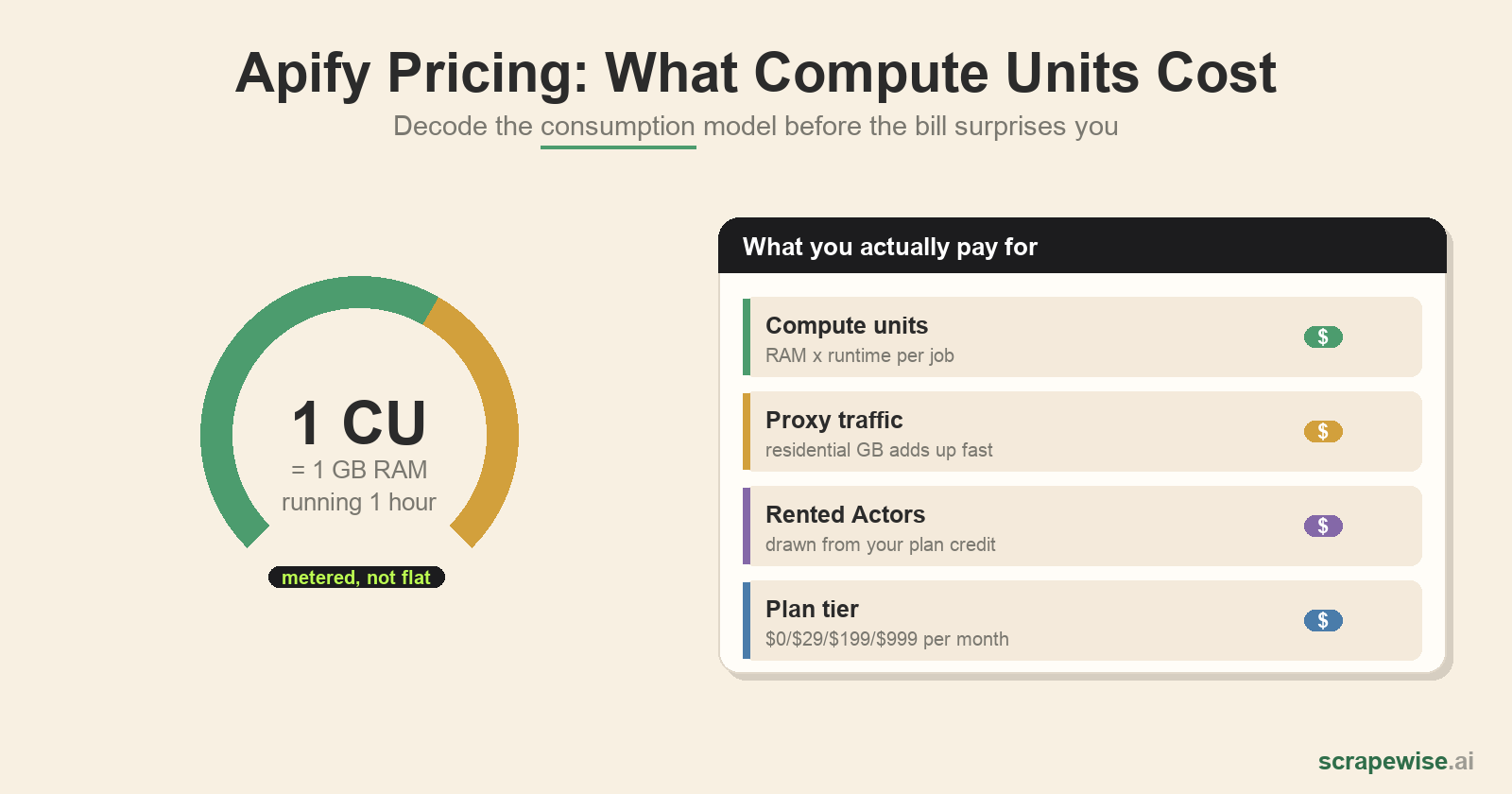
Apify's pricing looks simple on the plan page — a free tier and three paid plans — and then the first real invoice arrives larger than expected. The reason is that the sticker price isn't the price. Apify bills on consumption: compute units, proxy traffic, and rented Actors all draw down on top of (or against) your plan credit. If you're evaluating Apify for ongoing e-commerce or competitor data, you need to understand the consumption model, not just the monthly tiers.
This guide breaks down how Apify charges in 2026, what a compute unit actually is, where the free tier runs out, and the costs most comparisons skip — so you can estimate your real monthly bill before you commit.
Quick answer: Apify's Free plan costs $0 and includes $5 of platform credit every month. Usage is billed at $0.20 per compute unit on Free and Starter, so the free credit covers about 25 compute units before any proxy or rented Actor costs. Paid plans are Starter at $19, Scale at $199 and Business at $999 a month, and each includes the same amount as usage credit. (Checked on apify.com/pricing on 21 September 2026.)
The Plans at a Glance
As of mid-2026, Apify's published subscription tiers are:
| Plan | Monthly | Annual (per mo) | Included platform credit |
|---|---|---|---|
| Free | $0 | $0 | $5 |
| Starter | $19 | $17 | $19 |
| Scale | $199 | $179 | $199 |
| Business | $999 | $899 | $999 |
The key thing to understand: the "included credit" is usage budget, not a flat allowance of results. Your $19 on Starter buys $19 of consumption, and consumption is metered in compute units and proxy traffic. Run heavy jobs and you exhaust the credit early, then pay overages at your plan's rate. (Prices checked on Apify's pricing page in September 2026. Plans change, so confirm current numbers there.)
What Is a Compute Unit?
A compute unit (CU) is Apify's core billing metric: 1 CU = 1 GB of RAM running for 1 hour. A job using 4 GB of memory for 30 minutes consumes 2 CU. The per-CU rate falls as you move up tiers:
- Free / Starter: $0.20 / CU
- Scale: $0.16 / CU
- Business: $0.13 / CU
Plans also cap concurrency and memory: Free allows 16 GB max RAM and 5 concurrent runs; Starter 64 GB / 32 runs; Scale 256 GB / 128 runs; Business 512 GB / 256 runs. For a single light scraper this is invisible. For continuous monitoring across thousands of SKUs, where you're running many memory-hungry browser instances in parallel, CU consumption is the line item that defines your bill.
The catch with the CU model is that cost scales with how hard the target fights back, not with how much data you want. A site that needs a full headless browser, retries, and long waits burns far more CU per record than a clean API-like endpoint — so two jobs returning the same 10,000 rows can cost wildly different amounts.
Proxies: The Cost Most People Forget
Scraping real e-commerce sites means proxies, and proxies are billed separately from CU:
- Residential proxies: ~$8/GB on Free/Starter, dropping to ~$7/GB on Business. Residential traffic is what you need for tough anti-bot targets — and a few GB a day adds up fast.
- Datacenter proxies: a pool of IPs is included (5 on Free, 30 on Starter, 200 on Scale, 500 on Business). Extra IPs cost $1 each on Starter, $0.80 on Scale and $0.60 on Business.
- SERP proxy: ~$2.5 per 1,000 queries on Free/Starter, ~$1.7 on Business.
For price-monitoring workloads, residential proxy GB is frequently the single largest cost — and it's the one the plan sticker price hides completely.
Rented Actors
Much of Apify's appeal is its Actor marketplace — pre-built scrapers you rent instead of build. On paid plans, rented-Actor usage is deducted from your prepaid plan credit, with the draw depending on the Actor and how long it runs. Convenient, but it means a third meter (CU + proxy + Actor rental) is running against the same budget. A popular Amazon or Google Maps Actor at scale can consume your plan credit on its own.
Estimating Your Real Monthly Cost
To sanity-check Apify for an ongoing job, add three things, not one:
| Cost driver | Billed as | Scales with |
|---|---|---|
| Compute | $/CU (GB-RAM-hour) | Job difficulty, browser use, retries, frequency |
| Proxies | $/GB residential, $/IP datacenter | Anti-bot toughness, volume, geo coverage |
| Rented Actors | Drawn from plan credit | Which Actors, run duration, run count |
A useful rule: the sticker plan is a floor, not a ceiling. If your use case is "scrape competitor prices across five marketplaces every few hours, forever," model the CU + residential GB for that cadence — the monthly total usually lands well above the plan tier you started from. For a deeper build-vs-buy breakdown, see our web scraping vs API guide for retail data, and for how Apify compares to other platforms on pure scraping-API rates, our scraping API pricing comparison.
A Worked Example: From $199 Sticker to Real Bill
Numbers make the model concrete. Take a realistic e-commerce monitoring job and price it out (these are illustrative estimates — your real figures swing with target difficulty, but the shape holds):
Scenario: 5,000 competitor SKUs across a few marketplaces, refreshed once daily, on tough anti-bot targets that need a headless browser.
- Compute. Browser-based scraping of protected pages is memory-heavy. Assume your runs average roughly 50 pages per compute unit (a clean target does better; a hostile one far worse). 5,000 pages/day ÷ 50 ≈ 100 CU/day, so ~3,000 CU/month. On the Scale plan at $0.16/CU that's about $480/month in compute alone — already more than double the $199 plan sticker.
- Residential proxies. Tough targets need residential traffic. At even
0.3 MB billable per page, 5,000 pages/day is ~1.5 GB/day, or **45 GB/month**. At the Scale plan's $7.50/GB that's roughly $340/month. - Running total: ~$480 + ~$340 ≈ $820/month, against a $199 sticker, before you've written or maintained a single line of scraper code.
Now change one variable to see the volatility: double the refresh to twice daily and both compute and proxy roughly double to ~$1,640/month. Or keep the cadence but hit a target that escalates its anti-bot, pushing you from 50 to 20 pages per CU, and compute alone jumps from ~$480 to ~$1,200. This is the core risk of consumption pricing: the number you control (how much data you want) isn't the number that drives the bill (how hard the sites fight back).
When Apify's Model Works — and When It Doesn't
Apify is a strong fit when you have engineering capacity, want to build or rent scrapers yourself, and your volumes are predictable enough to budget CU and proxy spend. The platform is genuinely powerful and the marketplace saves build time.
It works against you when you want a fixed, predictable data bill and don't want to operate scrapers. Consumption pricing means your cost moves with site difficulty and anti-bot escalation — exactly the variables you don't control. Teams that just want clean competitor data delivered often find the metering, proxy management, and Actor maintenance is the real "price."
That's the gap a managed service fills. ScrapeWise delivers the data as a fully managed feed — we run the compute, proxies, and anti-bot handling, and you get structured records on one predictable meter instead of three running against a credit. Pricing is pay-as-you-go: you top up a balance in euros and are charged per page delivered — €0.15 per 1,000 plain pages, €0.75 with rendering, €1.50 through a residential proxy — with no plan, no compute units and no monthly quota, and every new account starts with 5 free requests. If you're tired of estimating compute units, see the per-page pricing — you're paying for the data, not the infrastructure. For the DIY-platform route, our Apify alternative breakdown compares the options in more detail.
Paste a competitor URL — start tracking prices in 60 seconds
Any e-commerce site, any SKU count. Clean structured feeds on your schedule, no code required.
97% accuracy on Amazon benchmarks · no credit card · book a 15-min call →