

You build a scraper. It runs perfectly for 2 weeks. Then one morning, it returns no data. Your competitor tracking system is blind. Your pricing team is manually checking sites again. Two days later, your boss asks why you are not monitoring prices anymore.
This scenario happens because of preventable mistakes that every scraping team makes once — and some teams make repeatedly.
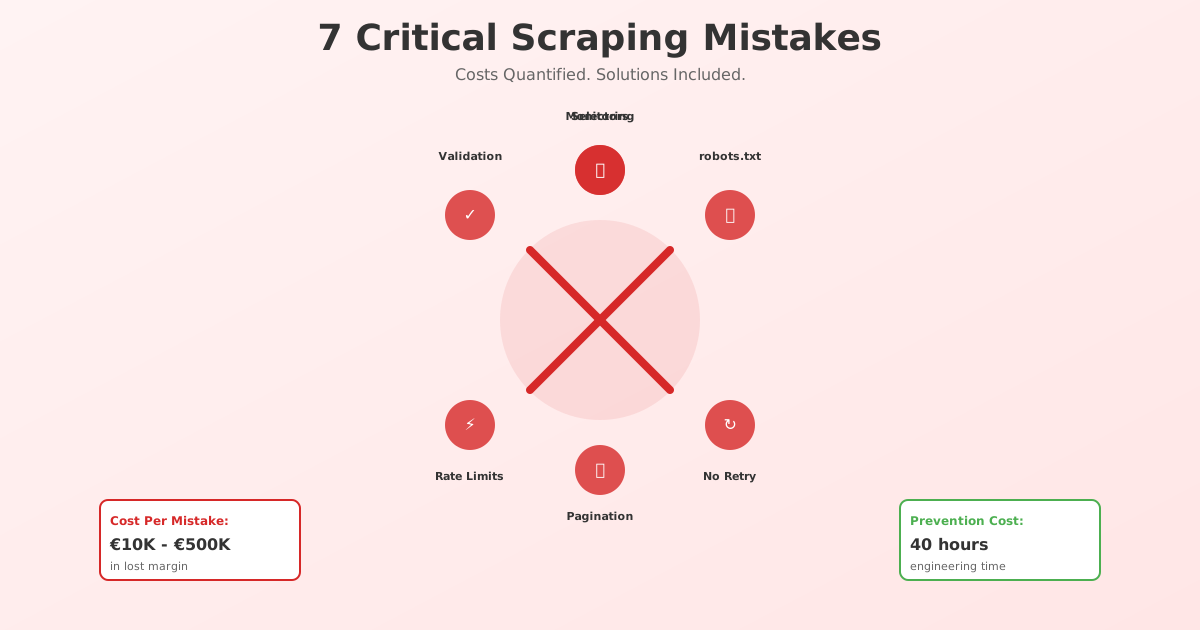
This guide covers the seven mistakes that break most production scrapers, the cost of each mistake, and how to prevent them.
Mistake 1: Hard-Coded Selectors (The Site Redesign Apocalypse)
The problem:
You identify the product price with a CSS selector: .product-price
You hard-code it:
const price = document.querySelector('.product-price').textContent;
The website redesigns. The class name changes to .price or .item-cost. Your selector finds nothing. Your scraper starts returning null for every price.
Real cost: A mid-size pricing team loses 1–3 days of data. In that window, competitors change prices and you do not know. By the time you notice and fix the selector, you may have repriced wrong.
Example impact: A retailer monitoring 200 competitor prices misses a competitor's 15% discount for 48 hours. Competitor captures 5% of your customers due to price advantage. Cost: €50K in lost margin.
Prevention:
Use stable selectors
- Avoid:
.price:nth-child(3)(position-dependent) - Prefer:
[data-price](retailer-managed, changes less) - Prefer: JSON-LD schema (mandated by Google, never moves)
- Avoid:
Implement fallback selectors
const price =
  document.querySelector('[data-price]')?.textContent ||
  document.querySelector('.product-price')?.textContent ||
  document.querySelector('[itemprop="price"]')?.textContent;
Monitor for null/empty results
if (!price) {
  console.error('Price selector failed. Site may have redesigned.');
  // Alert your team
}
Re-validate selectors weekly
- Spot-check 5–10 products manually
- Compare scraped price to live site
- If mismatch, escalate to engineer
Mistake 2: Ignoring robots.txt Changes (The Invisible Block)
The problem:
You check robots.txt once: no restrictions. You build your scraper. Six months later, the website updates robots.txt to disallow /search and /filter. Your scraper, which goes through their filter pages, stops working.
But you do not notice because:
- No error is raised
- HTTP response is 200 OK
- The page just contains no product data
Real cost: Your scraper runs for 3 days returning empty results. Your team thinks the data is garbage. You spend 2 days debugging before realizing robots.txt changed.
Prevention:
Monitor robots.txt actively
# Add to your monitoring script
curl https://site.com/robots.txt | md5sum
# If hash changes, alert the team
Log your robots.txt respect
- Record which paths you scrape
- Confirm they are allowed in robots.txt on each run
- If disallowed, stop and alert
Parse robots.txt properly
- Use a library (not regex) to parse
- Handle wildcards (
User-agent: *) - Respect Crawl-Delay if present
from urllib.robotparser import RobotFileParser
rp = RobotFileParser()
rp.set_url("https://site.com/robots.txt")
rp.read()

if rp.can_fetch("*", "/product/123"):
  # Safe to scrape
else:
  # Respect the block
Mistake 3: No Retry Logic (Single Failure = Data Gap)
The problem:
Your scraper runs once per day. It hits a network timeout on a 200-item product feed. One request failed. Your scraper logs the error and moves on, returning 199 items instead of 200.
Your team does not notice until a customer complains about a product not being in the system.
Real cost: Incomplete data. Pricing teams make decisions on incomplete info. A missing competitor product = wrong pricing recommendations.
Prevention:
import time

def fetch_with_retry(url, max_retries=3, backoff_factor=2):
  for attempt in range(max_retries):
    try:
      response = requests.get(url, timeout=10)
      response.raise_for_status()
      return response
    except requests.exceptions.RequestException as e:
      if attempt < max_retries - 1:
        sleep_time = backoff_factor ** attempt
        print(f"Retry {attempt + 1} after {sleep_time}s")
        time.sleep(sleep_time)
      else:
        raise
Exponential backoff pattern:
- Attempt 1: immediate
- Attempt 2: wait 2s (backoff)
- Attempt 3: wait 4s (backoff)
- Attempt 4: give up and alert
What to retry:
- Network timeouts: YES
- 429 (rate limited): YES, with longer backoff
- 500-level server errors: YES
- 404 (not found): NO (page deleted, move on)
- 403 (forbidden): NO, you are blocked
Mistake 4: Not Handling Pagination Correctly (Missing 90% of Data)
The problem:
You scrape page 1 of search results. You get 50 products. You assume that is all the data.
Actually, there are 10 pages × 50 products = 500 products total. You are scraping only 10% of the data.
Real cost: Incomplete competitive intelligence. You think you are tracking 50 competitors but you are only tracking 10% of them. Your analysis is blind.
Prevention:
Step 1: Detect pagination
// Look for "next page" button or pagination numbers
const hasNextPage = document.querySelector('a[aria-label="Next"]') !== null;
const totalPages = parseInt(document.querySelector('.pagination .total-pages')?.textContent);
Step 2: Loop through all pages
from selenium import webdriver

driver = webdriver.Chrome()
all_products = []
page = 1

while True:
  driver.get(f"https://site.com/search?page={page}")
  products = driver.find_elements("css selector", ".product-item")

  if not products:
    break  # No more products, exit loop

  for product in products:
    name = product.find_element("css selector", ".name").text
    all_products.append(name)

  page += 1
Step 3: Validate pagination
# Check you got expected number of items
expected_items = total_pages * items_per_page
actual_items = len(all_products)

if actual_items < expected_items * 0.9:  # Allow 10% variance
  raise Exception(f"Expected ~{expected_items}, got {actual_items}")
Mistake 5: Ignoring Rate Limits (The IP Ban)
The problem:
Your scraper fires 100 requests per minute. The site allows 60 requests per minute. After 5 minutes, your IP is blocked. You get 403 or timeout on every request for the next 24 hours.
Real cost: Your scraper is dead for 24 hours. A full day of data is missing.
Prevention:
Identify the rate limit
- Check HTTP headers:
X-RateLimit-Remaining,RateLimit-Reset - Observe: if you get 429 responses, you exceeded the limit
- Start conservative: 1 request per second = 3,600/hour
- Check HTTP headers:
Implement throttling
import time

requests_per_second = 0.5  # 1 request every 2 seconds

for url in urls:
  response = requests.get(url)
  time.sleep(1 / requests_per_second)  # Wait 2 seconds between requests
Respect 429 responses
response = requests.get(url)

if response.status_code == 429:
  # Get retry-after header
  retry_after = int(response.headers.get('Retry-After', 60))
  print(f"Rate limited. Waiting {retry_after}s")
  time.sleep(retry_after)
Use distributed scraping
- Rotate across 5–10 proxy IPs
- Each IP hits the site slower
- Aggregate results from all IPs
Mistake 6: No Data Validation (Garbage In = Garbage Out)
The problem:
Your scraper returns prices like: ["$15.99", "out of stock", null, "€25.00", "FREE", ""]
Your pricing system tries to do math on this:
prices = [15.99, float('out of stock'), None, 25.00, 0, NaN]
The system crashes. Or worse, it silently treats "out of stock" as $0 and recommends a competitor price of $0.
Real cost: Bad data into your system = bad business decisions. A hotel pricing system that sees "out of stock" as $0 will undercut competitors infinitely.
Prevention:
def validate_price(price_raw):
  """Return validated price or None"""

  # Handle null/empty
  if not price_raw or price_raw in ['out of stock', 'N/A', '']:
    return None

  # Clean string
  price_str = str(price_raw).strip().replace('$', '').replace('€', '')

  # Parse number
  try:
    price = float(price_str)
  except ValueError:
    return None  # Not a number

  # Validate range
  if price < 0 or price > 1000000:
    return None  # Unreasonable price

  return price

# Validate ALL data before storing
validated_prices = [validate_price(p) for p in prices]
valid_prices = [p for p in validated_prices if p is not None]

if len(valid_prices) < len(prices) * 0.8:
  # More than 20% of data is invalid
  raise Exception("Data quality too low. Check scraper.")
Mistake 7: No Monitoring or Alerts (You Find Out 3 Days Later)
The problem:
Your scraper runs daily. On Tuesday morning, it fails. You do not find out until Friday when your team notices prices have not updated. Three days of missing data.
Real cost: Missing data = bad decisions. Pricing analysts price based on Thursday's data (which is actually Tuesday's old snapshot).
Prevention:
Set up a health check dashboard:
import logging
from datetime import datetime, timedelta

class ScraperHealth:
  def __init__(self):
    self.last_successful_run = None
    self.last_row_count = 0

  def log_run(self, row_count, error=None):
    if error:
      logging.error(f"Scrape failed: {error}")
      # Alert team immediately
      send_alert(f"Scraper failed: {error}", severity="critical")
    else:
      self.last_successful_run = datetime.now()
      self.last_row_count = row_count
      logging.info(f"Scrape succeeded: {row_count} rows")

  def check_health(self):
    # Has the scraper run in the last 24 hours?
    if not self.last_successful_run:
      return "NEVER RUN"

    hours_since = (datetime.now() - self.last_successful_run).total_seconds() / 3600

    if hours_since > 24:
      send_alert("Scraper has not run in 24h", severity="critical")
      return "STALE"

    # Did the row count drop significantly?
    if self.last_row_count < 100:
      send_alert(f"Low row count: {self.last_row_count}", severity="warning")
      return "LOW_DATA"

    return "HEALTHY"
Set these alerts:
- Scraper fails to run (no HTTP 200)
- Row count drops > 20% from historical average
- Data is older than 24 hours (stale)
- Error logs contain keywords: "no selector found", "timeout", "403"
Cost Summary: What Each Mistake Costs
| Mistake | Time to Detect | Revenue Impact | Prevention Cost |
|---|---|---|---|
| Hard-coded selectors | 1–3 days | €10K–50K (lost decisions) | 4 hours (monitoring) |
| Ignoring robots.txt | 3–5 days | €5K–20K (missing data) | 1 hour (monitoring script) |
| No retry logic | 1–2 days | €2K–10K (incomplete data) | 2 hours (code) |
| Bad pagination | Weeks | €50K–500K (incomplete analysis) | 4 hours (code) |
| Rate limit blocks | 1 day | €10K–100K (data gap) | 6 hours (throttling) |
| No validation | 2–7 days | €20K–500K (bad decisions) | 8 hours (validation rules) |
| No monitoring | 3–7 days | €50K–500K (stale decisions) | 16 hours (monitoring) |
Total prevention cost: ~40 hours of engineering Total risk if ignored: €150K–2M in lost margin or bad decisions
The Prevention Checklist
Use this checklist before deploying any scraper:
- Selectors tested against 10 random products (spot check)
- Fallback selectors in place (2–3 alternatives per field)
- Retry logic implemented (exponential backoff)
- Pagination tested (verify you get all pages)
- Rate limit compliance verified (manual test, monitor headers)
- Data validation rules written (every field checked)
- null/NaN handling tested (what happens if data is missing?)
- Monitoring/alerts configured (runs on schedule, alerts on failure)
- robots.txt checked and respected
- logs enabled (can debug issues 3 days later)
- Manual spot-check performed (pick 5 products, verify against live site)
- Success metrics defined (row count, error rate, data freshness)
Conclusion: Prevent Today, Sleep Well Tonight
Most scraping failures are not due to difficult technical challenges. They are due to missed basics: validation, monitoring, error handling, and resilience.
The teams that have the least downtime and highest data quality are not using fancier tools. They are using basic fundamentals consistently.
Invest 40 hours in prevention now. Avoid 1,000 hours in firefighting later.
Ready to build a bulletproof scraper? Try ScrapeWise's pre-built error detection and monitoring — catches mistakes before they become data gaps.
Paste any URL — ScrapeWise handles the anti-bot
Managed infrastructure that adapts when sites change. No proxies, no code, no per-request fees.
Not ready to sign up? See 12 real Amazon rows, 972 columns →
97% accuracy on Amazon benchmarks · no credit card · book a 15-min call →